Quick Start Guide
Get from zero to your first LCA calculation in under 5 minutes using EcoSemantic's AI-powered chat interface.
What you'll learn: - Access the EcoSemantic dashboard - Search the Ecoinvent database using natural language - Run your first LCA calculation - Interpret environmental impact results
Prerequisites: - EcoSemantic account (sign up free at ecosemantic.com)
Time to complete: ~5 minutes
Step 1: Login to Your Dashboard
Navigate to ecosemantic.com and click the Login button in the top right.
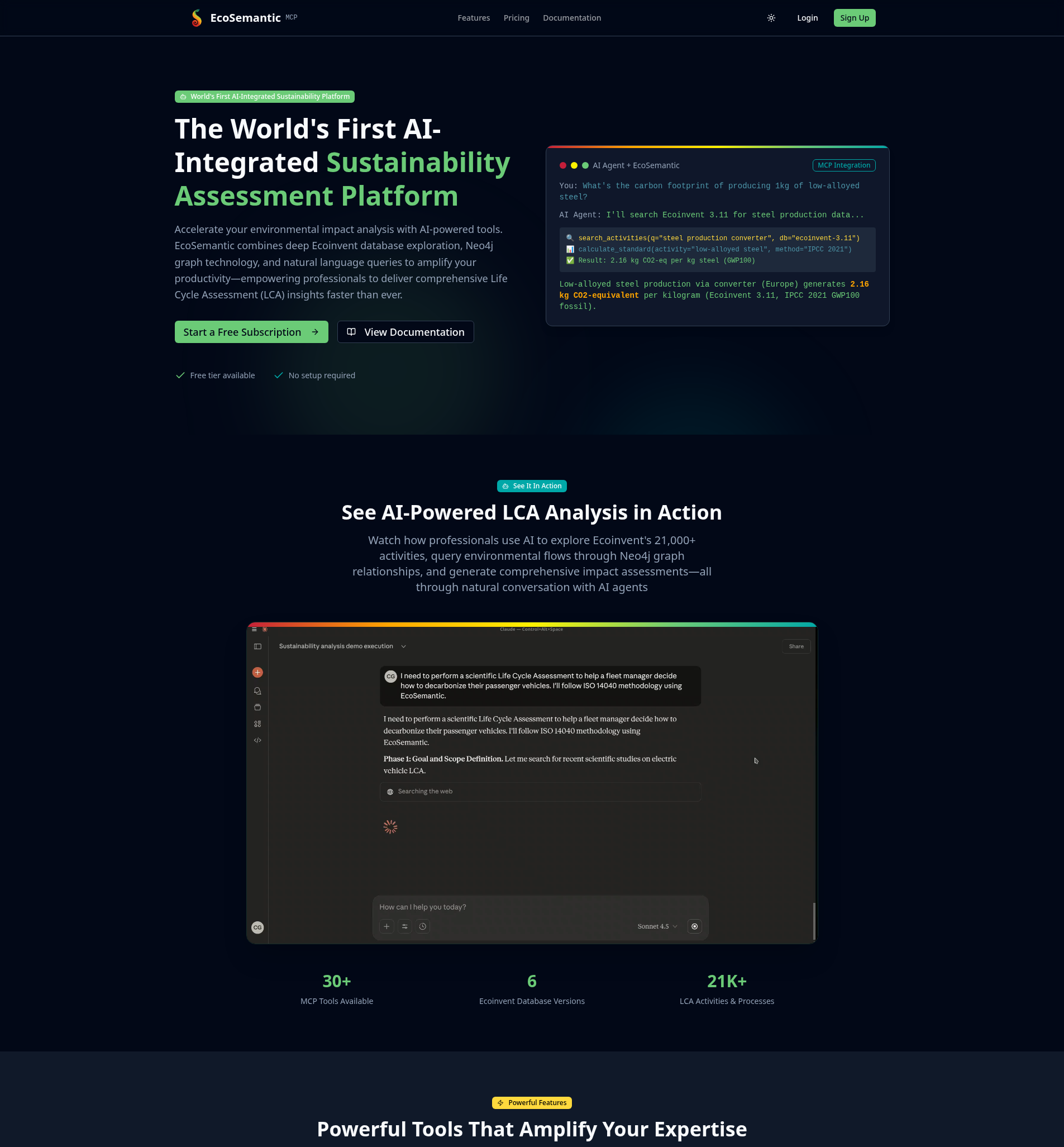
Enter your credentials to access your dashboard.
Step 2: Access the Chat Interface
Once logged in, you'll see the dashboard with the chat interface ready. The sidebar shows: - Your subscription tier (Free, Enthusiast, or Professional) - Monthly usage statistics - Chat history (if you have previous conversations)
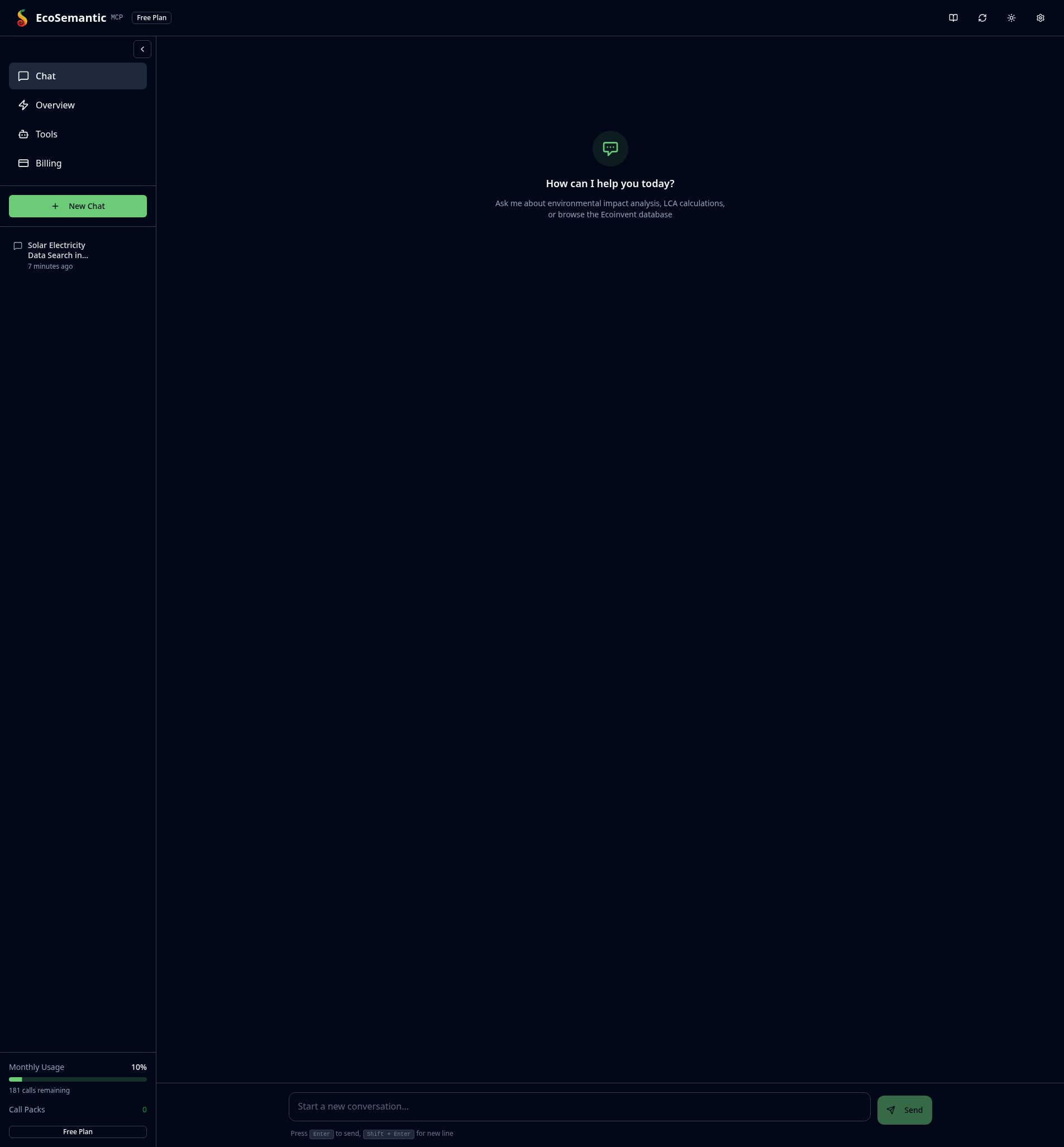
The chat interface uses Claude Haiku 4.5 for fast, efficient responses with access to EcoSemantic's 31+ MCP tools.
Step 3: Search for LCA Activities
Type your first query in natural language. For this example, we'll search for solar electricity production:
Example prompt:
The AI will use the search_activities tool to query the database. It may need to refine the search terms - this is normal! The system adapts search strategies based on results.
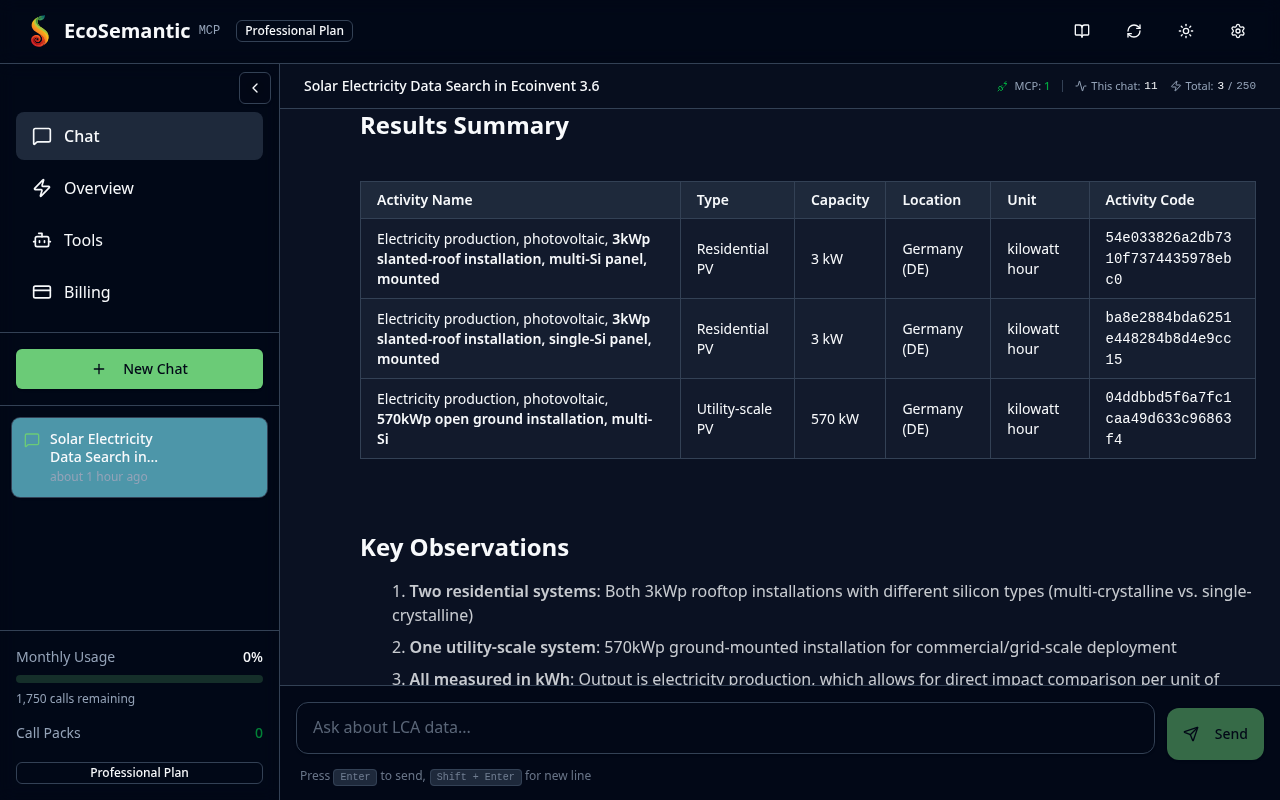
Key observations from results: - Activity names describe the technology (e.g., "photovoltaic, 3kWp slanted-roof installation") - Locations show where data applies (Germany = DE) - Units indicate measurement (kilowatt hour for electricity) - Activity codes are unique identifiers for calculations
The search found 3 German solar activities: - 2 residential rooftop systems (3 kW capacity) - 1 utility-scale ground installation (570 kW capacity)
Step 4: Calculate Environmental Impact
Now ask for a calculation using one of the activities found:
Example prompt:
The AI will: 1. Select the appropriate activity code 2. Find compatible climate change impact methods 3. Run the LCA calculation 4. Present results with context
Note: If Haiku reaches iteration limits, simply type continue to complete the calculation.
Step 5: Interpret Your Results
The system presents a comprehensive results table with context:
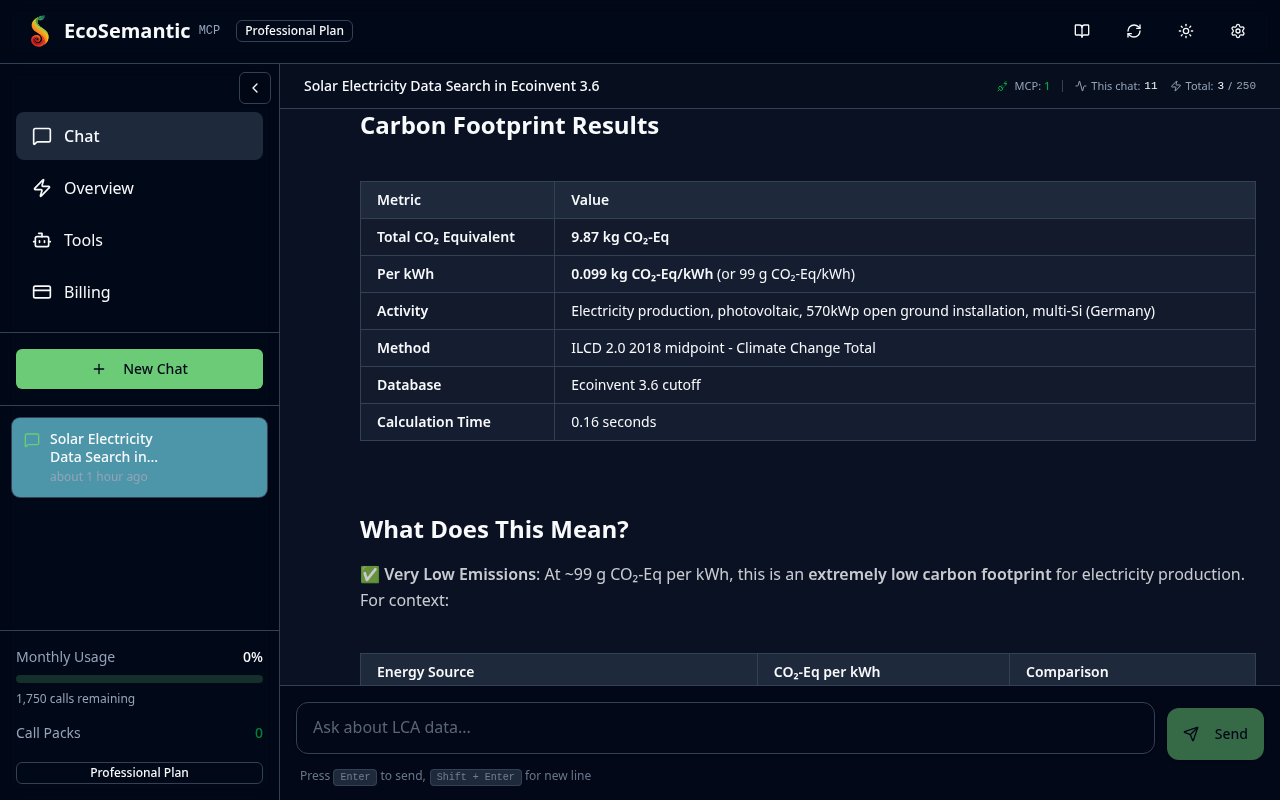
Results breakdown:
| Metric | Value |
|---|---|
| Total CO₂ Equivalent | 9.87 kg CO₂-Eq |
| Per kWh | 0.099 kg CO₂-Eq/kWh (99 g) |
| Calculation Time | 0.16 seconds |
Understanding the impact:
Solar electricity in Germany produces 99 g CO₂-eq per kWh - extremely low compared to: - German grid average: ~340-400 g (3-4× higher) - Coal power: ~800-1,000 g (8-10× higher) - Natural gas: ~400-500 g (4-5× higher) - Wind power: ~10-15 g (similar)
What creates this footprint?
The 99 g CO₂-eq comes primarily from: - Manufacturing solar panels, inverters, and mounting structures - Transportation of materials - Installation activities - Minimal operational emissions
Key insight: Solar's carbon footprint is "paid back" in 2-4 years through avoided fossil fuel generation, then operates carbon-free for 25-30 years.
Summary
You've successfully completed your first LCA workflow: 1. ✅ Logged into the dashboard 2. ✅ Searched Ecoinvent database using natural language 3. ✅ Ran an LCA calculation 4. ✅ Interpreted environmental impact results
Next Steps
Explore more capabilities: - Search Activities Guide - Learn advanced search techniques - Calculate Impacts - Explore different impact methods - Example Queries - See 16 real-world LCA examples
Upgrade for more features: - Free tier: 200 welcome credits, ecoinvent 3.6 only - Enthusiast (\(24.99/mo): ecoinvent 3.6–3.11, core + graph search tools - Professional (\)84.99/mo): ecoinvent 3.12, all tools and custom projects
Check your usage: Click Overview in the sidebar to see: - Monthly tool call usage - Recent MCP tool activity - Available databases for your tier
Tips for Success
Working with Haiku 4.5 in the dashboard:
- Use clear, specific queries: "Search for [activity] in [location] using [database]"
- If calculation stops mid-process, type continue to resume
- Haiku is fast but may need guidance for complex multi-step workflows
Free tier limitations: - Only Ecoinvent 3.6 database access - 200 tool calls per month (each search/calculation counts) - No custom project creation
Getting better results: - Specify database version explicitly (e.g., "ecoinvent 3.6") - Use location codes when known (DE, US, CN, GLO) - Ask for specific impact methods if you know them
Troubleshooting
Q: My search returned no results
The AI will automatically try broader search terms. Common fixes: - Use generic terms first: "solar" instead of "solar photovoltaic 570kWp" - Try different terminology: "electricity" vs "power" - Check spelling of technical terms
Q: Calculation failed with wrong method
Different Ecoinvent versions use different impact methods: - v3.6 uses ILCD 2.0 2018 for climate change - v3.11 uses IPCC 2021 - The AI will auto-correct and retry with the correct method
Q: Hit monthly call limit
- Check your credit balance in the Overview tab
- Purchase more credits from the dashboard
- Upgrade subscription tier for access to more databases
Related Resources
- Installation Guide - Set up Claude Desktop with MCP
- MCP Tools Reference - All 30+ available tools
- Prompt Writing Guide - Best practices for queries
Need help? Email [email protected]